> For the complete documentation index, see [llms.txt](https://www.pranaypourkar.co.in/the-programmers-guide/llms.txt). Markdown versions of documentation pages are available by appending `.md` to page URLs; this page is available as [Markdown](https://www.pranaypourkar.co.in/the-programmers-guide/java/code-quality-and-analysis/sonarqube/issue-model-severity-and-types.md).
# Issue Model (Severity & Types)
## About
SonarQube’s issue model is the **foundation of all quality analysis, ratings, and gates**. Every result you see in the console is derived from a single concept: an **Issue**.
An issue represents a **rule violation at a specific code location**, enriched with metadata that allows SonarQube to **classify risk, prioritize work, and track quality over time**.
## What is an Issue in SonarQube ?
In SonarQube, an **issue** is a detected violation of a **rule** applied to a specific **location in code**.
Each issue has:
* A rule that was violated
* A type (what kind of problem it is)
* A severity (how serious SonarQube considers it)
* A status and resolution
* A location (file, line, sometimes flow)
* A scope (new code vs overall code)
In the UI, issues are not just findings; they are **workflow items** meant to be reviewed, triaged, fixed, or consciously accepted.
## Issue Types in SonarQube
SonarQube groups issues into **four distinct types**. These are not interchangeable and each carries different expectations.
#### Bugs
Bugs represent **code that is very likely incorrect** and may lead to runtime errors or wrong behavior.
Typical characteristics:
* Deterministic failures
* Logic errors
* Null dereferences
* Incorrect condition handling
In the SonarQube UI:
* Bugs are shown as a distinct category in the Issues view
* They contribute directly to **Reliability Rating**
* High-severity bugs strongly affect Quality Gates
Interpretation:\
If SonarQube marks something as a Bug, it is asserting that **correctness is compromised**, not merely style or maintainability.
#### Vulnerabilities
Vulnerabilities represent **exploitable security weaknesses**.
Key properties:
* An attacker can benefit from them
* They violate confidentiality, integrity, or availability
* They usually require immediate attention
In the UI:
* Vulnerabilities appear separately from Bugs
* They impact the **Security Rating**
* Even a small number of vulnerabilities can fail a Quality Gate
Important nuance:\
SonarQube vulnerabilities are **high-confidence security issues**, not speculative risks.
#### Code Smells
Code Smells represent **maintainability issues**, not immediate failures.
Typical examples:
* Complex methods
* Duplicated logic
* Poor naming
* Excessive coupling
In the UI:
* Code Smells usually dominate the issue count
* They contribute to **Maintainability Rating**
* They are measured in terms of **technical debt**
Critical understanding:\
A large number of code smells does not mean the system is broken, but it does mean **future change will be costly and risky**.
#### Security Hotspots
Security Hotspots represent **security-sensitive code that requires human review**.
Key distinction:
* SonarQube does not claim the code is insecure
* It flags places where **security decisions exist**
Examples:
* Cryptography usage
* Authentication logic
* Deserialization
* External command execution
In the UI:
* Security Hotspots appear in a separate section
* They require manual review and status change
* They do not fail Quality Gates by default
Hotspots exist because **intent cannot be inferred automatically**.
## Issue Types vs Software Quality Domains
#### Legacy terminology (still used internally)
Internally, SonarQube still classifies issues as:
* Bug
* Vulnerability
* Code Smell
* Security Hotspot
#### What the UI shows today
In the **current SonarQube UI**, issue types are **presented as Software Quality domains**:
| Software Quality (UI) | Internal Issue Type |
| --------------------- | ------------------- |
| Reliability | Bug |
| Security | Vulnerability |
| Maintainability | Code Smell |
| Security Hotspot | Security Hotspot |
#### Reliability
Reliability issues indicate **defects that can cause incorrect behavior or runtime failures**.
Characteristics:
* High confidence of incorrect execution
* Deterministic failures
* Direct impact on correctness
In ratings and gates:
* Reliability rating is derived from these issues
* Even a few high-severity reliability issues can fail a gate
#### Security
Security issues represent **confirmed exploitable weaknesses**.
Characteristics:
* Attacker benefit is clear
* Confidentiality, integrity, or availability is compromised
* Requires immediate attention
In the UI:
* Appears under Security
* Affects Security rating directly
* Typically weighted heavily in Quality Gates
#### Maintainability
Maintainability issues represent **code smells**.
Characteristics:
* No immediate functional failure
* Increased cost of change
* Higher future defect risk
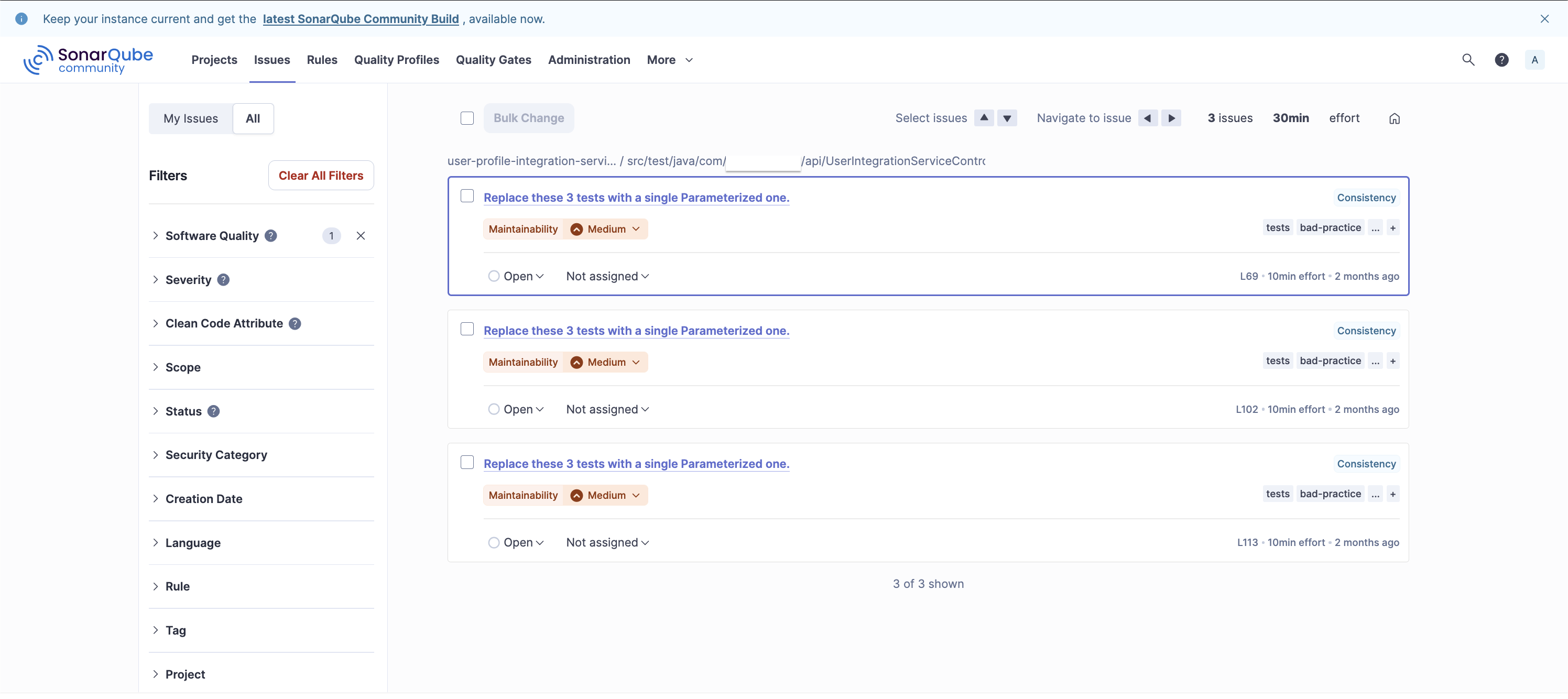
In your screenshot:
* “Replace these 3 tests with a single Parameterized one.”
* Maintainability – Medium
* 10min effort per issue
Maintainability is measured using **technical debt**, not raw issue count.
#### Security Hotspots
Security Hotspots are **review-required security-sensitive code locations**.
Key properties:
* Not automatically considered vulnerabilities
* Require human validation
* Must be reviewed and marked safe or unsafe
In the UI:
* Appear in a separate Hotspots view
* Tracked as “Reviewed / To Review”
* Do not fail Quality Gates by default
## Severity Levels in SonarQube
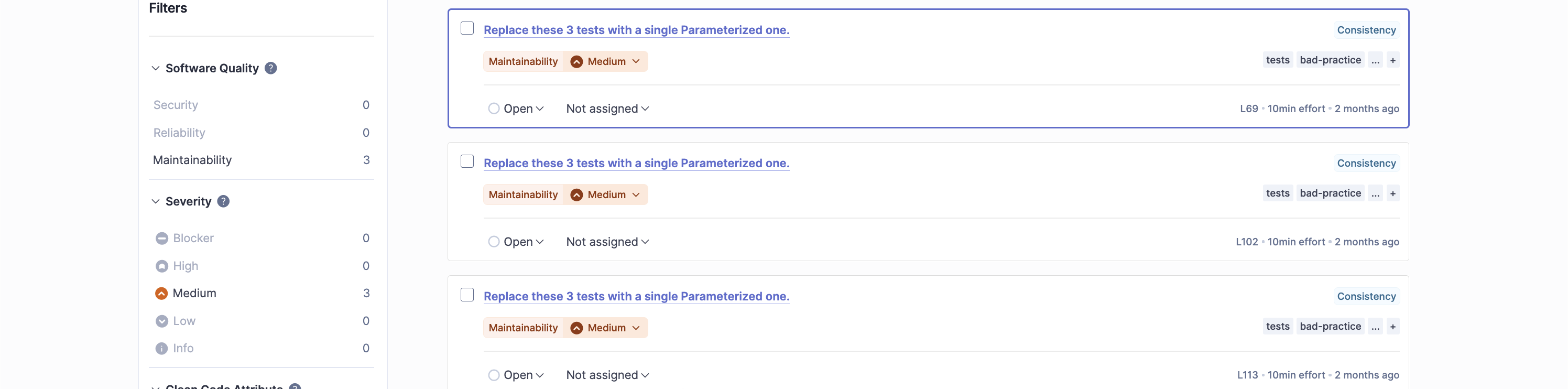
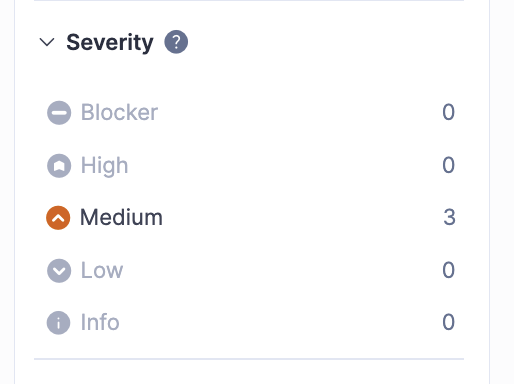
Each issue also has a **Severity**, which expresses **potential impact**, not effort.
Typical severities (exact names depend on profile):
* Blocker
* High
* Medium
* Low
* Info
Important characteristics:
* Severity is assigned by the rule
* It can be overridden in Quality Profiles
* Severity does not change automatically based on code context
## Issue Lifecycle in the UI
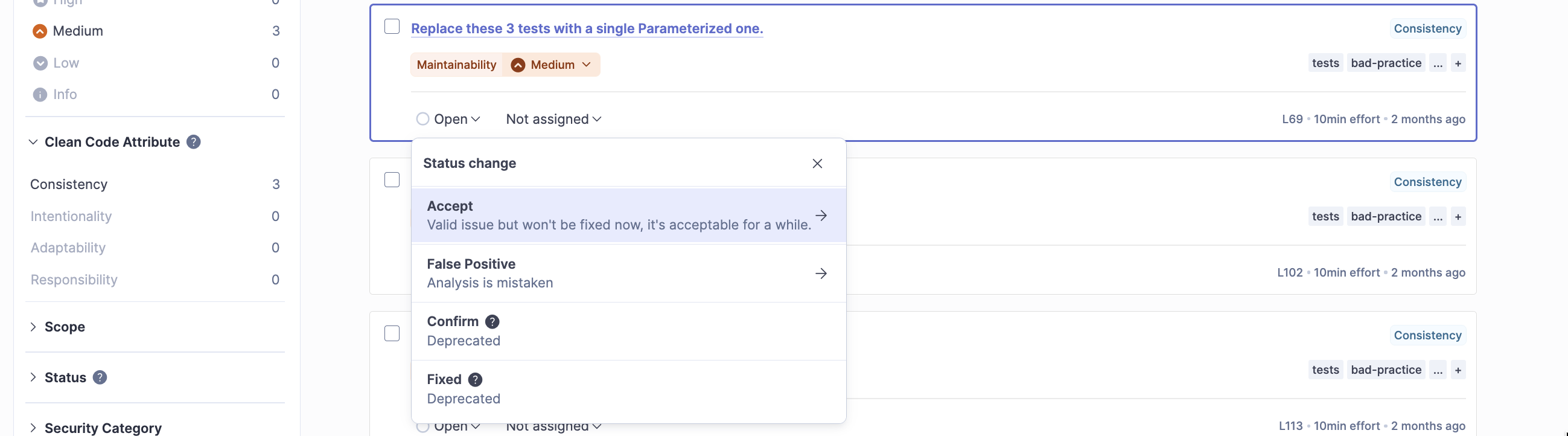
An issue in SonarQube moves through states:
* Open
* Confirmed
* Resolved
* Closed
Additionally, issues can be:
* Marked as False Positive
* Accepted as Won’t Fix
These actions are visible in the UI and become part of the project’s quality history.
This reinforces that SonarQube is not just a scanner; it is a **quality management system**.
## New Code vs Overall Code
A defining aspect of SonarQube’s issue model is **time awareness**.
Issues are evaluated differently depending on whether they appear:
* On New Code
* On Overall Code
In the UI:
* New Code issues are highlighted
* Quality Gates almost always focus on New Code
* Legacy issues can exist without blocking delivery
This allows teams to **improve quality incrementally**, not rewrite history.
---
# Agent Instructions
This documentation is published with GitBook. GitBook is the documentation platform designed so that both humans and AI agents can read, navigate, and reason over technical content effectively. Learn more at gitbook.com.
## Querying This Documentation
If you need additional information that is not directly available in this page, you can query the documentation by asking a question.
Perform an HTTP GET request on the following URL with the `ask` and `goal` query parameters:
```
GET https://www.pranaypourkar.co.in/the-programmers-guide/java/code-quality-and-analysis/sonarqube/issue-model-severity-and-types.md?ask=&goal=
```
`ask` is the immediate question: it should be specific, self-contained, and written in natural language.
`goal` is what the user is ultimately trying to achieve, the reason they need the answer. Sharing it helps GitBook give you a better, more relevant answer. A goal is most helpful when it describes the outcome the user wants rather than restating the question. For example, with `ask=how do I create an API token`, a goal like `automate deployments from our CI pipeline` lets GitBook tailor the answer to that use case.
The response will contain a direct answer to the question and relevant excerpts and sources from the documentation.
Use this mechanism when the answer is not explicitly present in the current page, you need clarification or additional context, or you want to retrieve related documentation sections.